CET

Center for Educational Technology

Designing the internal CMS behind CET's educational content.

Role

Product / UX Designer

Scope

UX · IA

Year

2025 · at Comrax

Access

Internal tool
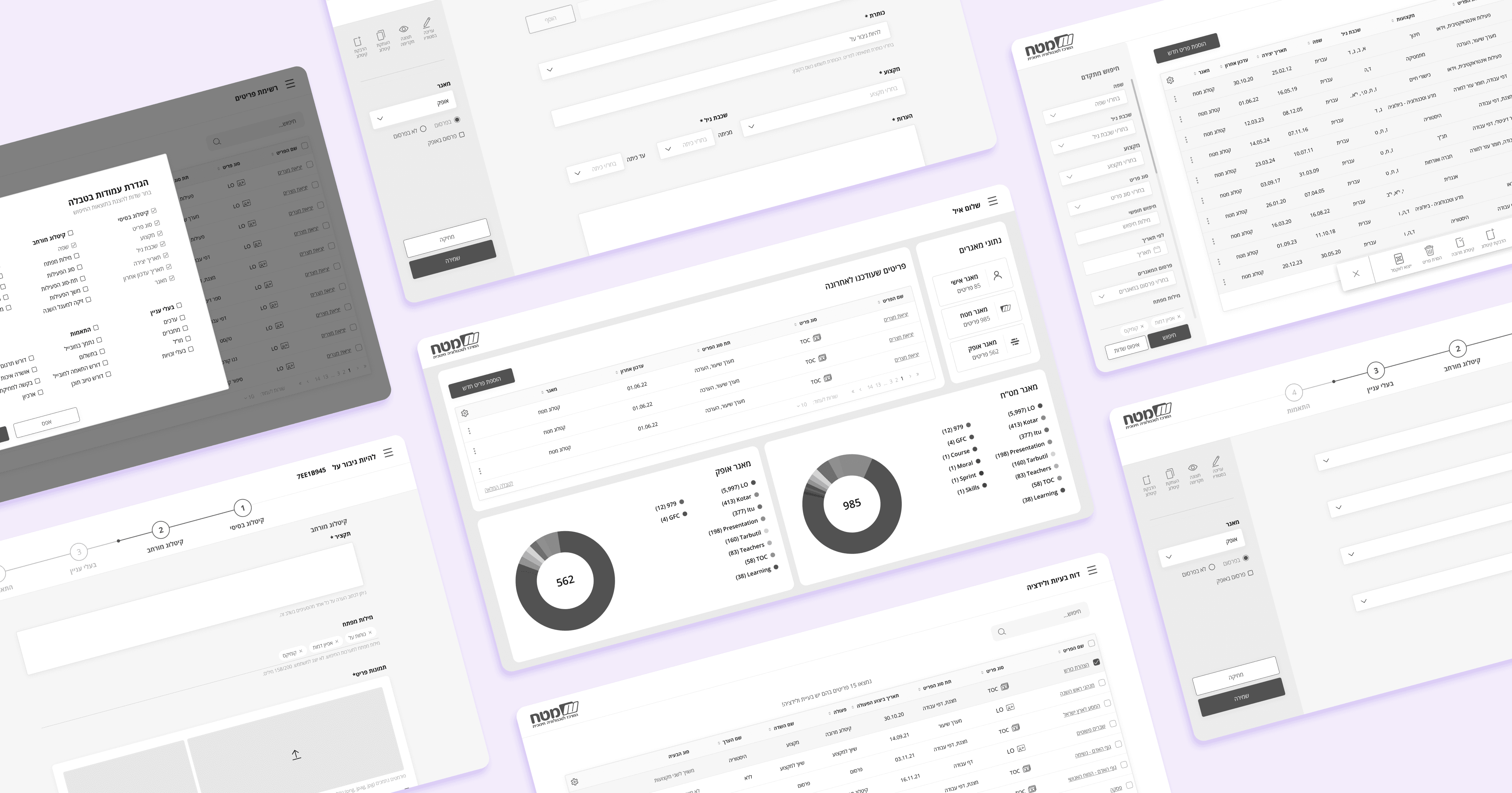
Overview

Overview

One workflow, every role

One workflow, every role

One workflow, every role

CET manages everything from interactive lessons to textbooks. I designed the internal CMS that keeps it all in order.

Leading the UX design, I turned CET's fragmented manual processes into a structured, scalable workflow. The system introduced a clear information architecture and role-based permissions, so teachers and professional catalogers could hand work off smoothly while data stayed consistent across multiple databases.

The Challenge

The Challenge

One system, many roles

One system, many roles

One system, many roles

The same system had to fit many roles, each with very different needs.

CET's content lived in fragmented, manual processes spread across several databases. Teachers needed a simple way to enter basic data; professional catalogers needed advanced metadata control. The challenge was one system that stayed simple for one without limiting the other.

Who I designed for

Who I designed for

Three core roles

Three core roles

The system serves many roles; these three had the most far-reaching needs.

Mira Shahar

CET Cataloger

Cataloging shouldn't take this many steps.

Catalog in batches, not one by one

Handle complex taxonomies with ease

Avoid duplicate, out-of-sync entries

Mira Shahar

CET Cataloger

Cataloging shouldn't take this many steps.

Catalog in batches, not one by one

Handle complex taxonomies with ease

Avoid duplicate, out-of-sync entries

Eyal Livne

Admin / Content Manager

I need everything in one place.

Monitor statuses from one dashboard

Manage approvals and permissions

Route content across databases

Eyal Livne

Admin / Content Manager

I need everything in one place.

Monitor statuses from one dashboard

Manage approvals and permissions

Route content across databases

Eyal Livne

Admin / Content Manager

I need everything in one place.

Monitor statuses from one dashboard

Manage approvals and permissions

Route content across databases

Shanee Yaakobi

Teacher

Let me upload without any training.

A simple interface for basic metadata

Upload content with no prior training

Fewer errors, using predefined fields

Shanee Yaakobi

Teacher

Let me upload without any training.

A simple interface for basic metadata

Upload content with no prior training

Fewer errors, using predefined fields

Shanee Yaakobi

Teacher

Let me upload without any training.

A simple interface for basic metadata

Upload content with no prior training

Fewer errors, using predefined fields

Solution

Solution

How the system works

How the system works

A role-based architecture, a clear cataloging path, and one workspace to run it all.
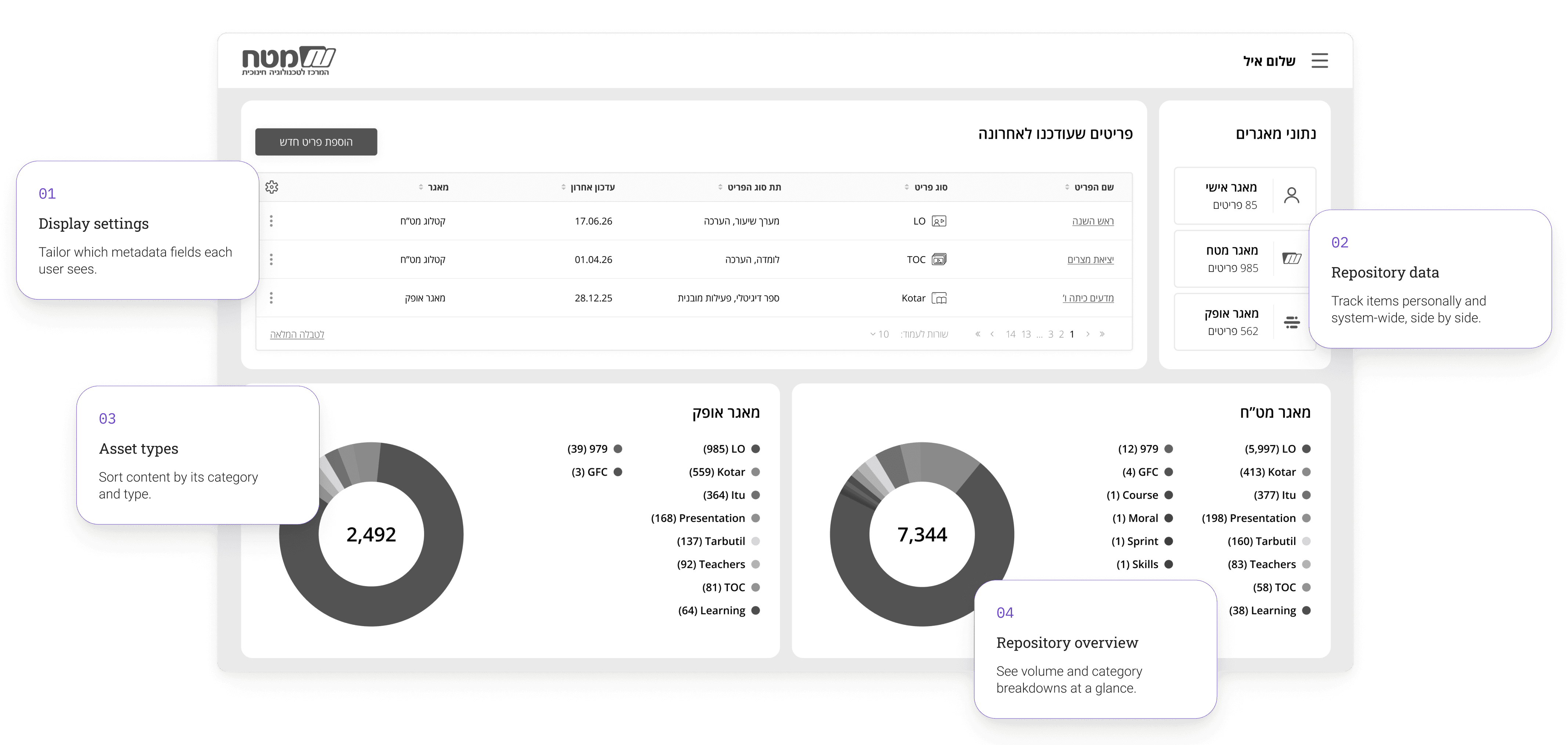
The central dashboard

The central dashboard

Where content managers monitor item statuses across the whole system — the single view the old, scattered tools never offered.

Where content managers monitor item statuses across the whole system — the single view the old, scattered tools
never offered.

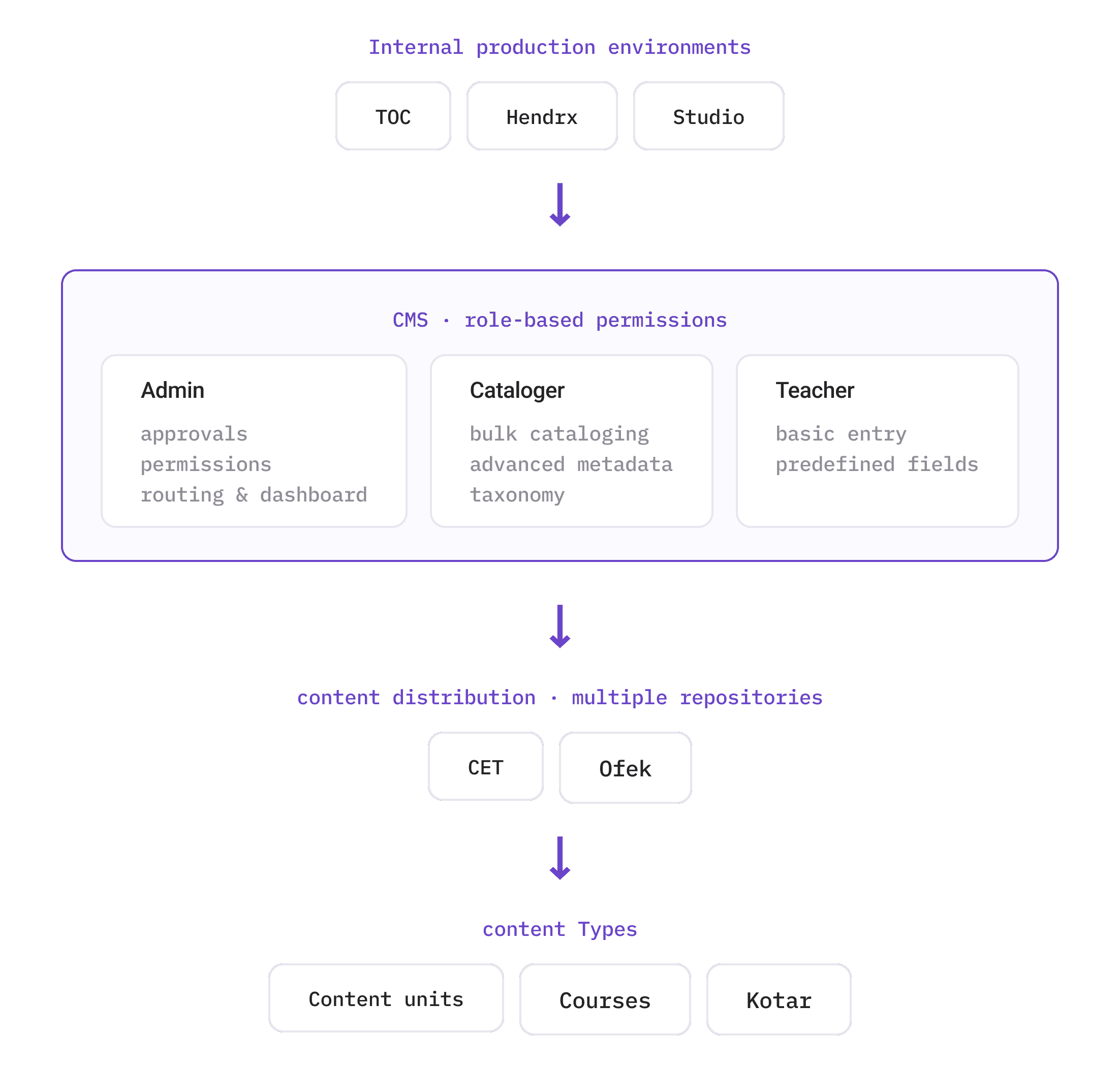
Information architecture

Information architecture

A map of who can access what — with clear boundaries between the internal production environments (Studio, Hendrix) and end-user access, enabling a role-based data flow.
Cataloging workflow

Cataloging workflow

A step-by-step map of content creation and approval, aligning the pedagogy and design teams so every asset is validated before it's published.

Key screen

Key screen

From manual to managed

The new interface replaces fragmented systems with a single workspace and a clear progression bar.

Basic

Extended

Stakeholders

Basic cataloging

Teacher-level entry

A minimal screen for basic metadata, using predefined fields - no training needed.

Basic

Extended

Stakeholders

Basic cataloging

Teacher-level entry

A minimal screen for basic metadata, using predefined fields - no training needed.

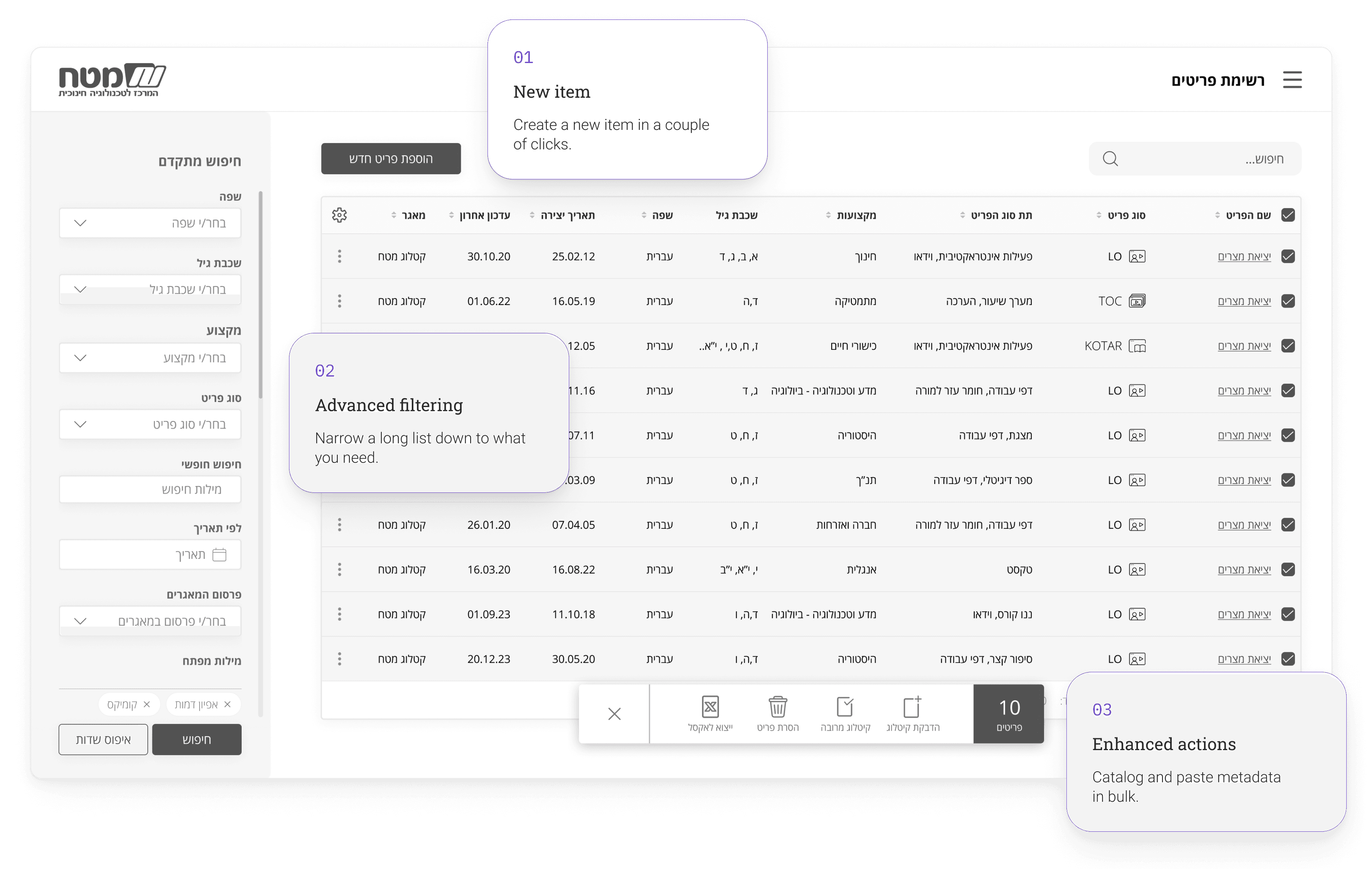
The items list

The items list

The everyday working list, built for volume — create, filter and catalog many items at once, without the repetition the old process forced.
The validation report

The validation report

A dedicated report that flags every item with a validation problem, spells out what's wrong, and lets catalogers clear issues in bulk before publishing.

Outcome

Outcome

The impact

The impact

The impact

The result is a single, role-based system that fits very different users — from teachers entering basic data to catalogers managing advanced metadata. Fragmented, manual processes became one clear, efficient workflow.

© 2024 Linoy Zohar Sagiv

© 2024 Linoy Zohar Sagiv

© 2024 Linoy Zohar Sagiv

© 2024 Linoy Zohar Sagiv

Create a free website with Framer, the website builder loved by startups, designers and agencies.